

Far Cry 4 PC
Discover Far Cry 4 PC — explore, fight, and survive in the Himalayas with thrilling missions, powerful weapons, and endless modding fun.
Released by Ubisoft in 2014, Far Cry 4 quickly became a landmark in the first-person shooter (FPS) genre. Set in the breathtaking, fictional Himalayan region of Kyrat, the game puts players in the shoes of Ajay Ghale, a young man returning to his homeland to scatter his mother’s ashes—only to find himself trapped in a brutal civil war between rebels and the self-proclaimed king, Pagan Min.
Unlike typical shooters, Far Cry 4 combines open-world freedom with cinematic storytelling. The vast, mountainous landscapes, dense jungles, and chaotic villages create a living, breathing world. Players can hunt wildlife, liberate outposts, craft weapons, or ride elephants into battle—every choice impacts gameplay.
The game exploded in popularity thanks to its community-driven modding, hilarious memes, and the unforgettable personality of its antagonist. While console players loved it, the PC version of Far Cry 4 remains the definitive way to experience Kyrat—thanks to its superior graphics, mod support, and smoother performance.
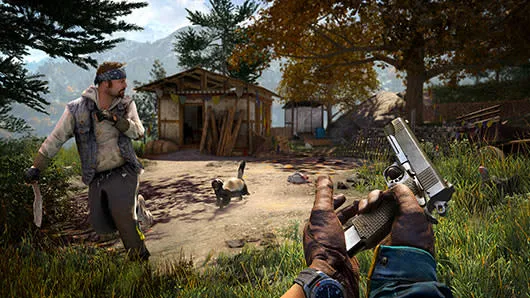
Far Cry 4 Highlights
Far Cry 4 PC – A Rich, Immersive Experience
The Far Cry 4 PC version offers everything PC gamers crave—crystal-clear visuals, optimized performance, and unmatched modding flexibility. It brings Kyrat’s rugged terrain to life with incredible detail, dynamic weather, and realistic physics.
Below are some of the standout features that make Far Cry 4 on PC a timeless masterpiece.
1. Expansive Open World
The entire region of Kyrat is open for exploration. From snowy mountain peaks to dense jungles, each area feels alive with random encounters, wildlife hunts, and enemy patrols. Players can take different paths to complete objectives, encouraging creativity and freedom.
2. Dynamic Combat System
Combat in Far Cry 4 PC is intense and varied. Use stealth with silenced weapons, go full chaos with explosives, or ride an elephant into a fortress. The AI is smart, making each encounter unpredictable and thrilling.
3. Vehicles and Exploration
Travel through Kyrat using jeeps, helicopters, boats, or even gyrocopters. The verticality of the terrain means new routes and ambush opportunities await everywhere. Exploring caves and temples rewards players with hidden treasures and lore.
4. Weapons and Customization
Choose from a massive arsenal—sniper rifles, bows, shotguns, and more. Every weapon can be customized for stealth or power. PC players often enhance this experience with community-made weapon mods that add realism or sci-fi flair.
5. Co-op and Multiplayer Mode
Far Cry 4 PC introduced drop-in co-op play, allowing friends to team up and conquer outposts together. The PC version makes online play smoother and allows for voice chat, improved connection stability, and fan-made multiplayer maps.
6. Immersive Storyline and Characters
The story balances chaos, humor, and emotional depth. Pagan Min’s unpredictable charm and Ajay’s moral struggles create a gripping narrative. Each mission feels like a movie, supported by stunning cutscenes and emotional dialogues.
7. Modding and Community Support
The Far Cry 4 on computer modding community is legendary. Mods can change everything—from weather and visuals to new missions or weapons. The game stays fresh even after hundreds of hours, thanks to creators constantly reinventing it.
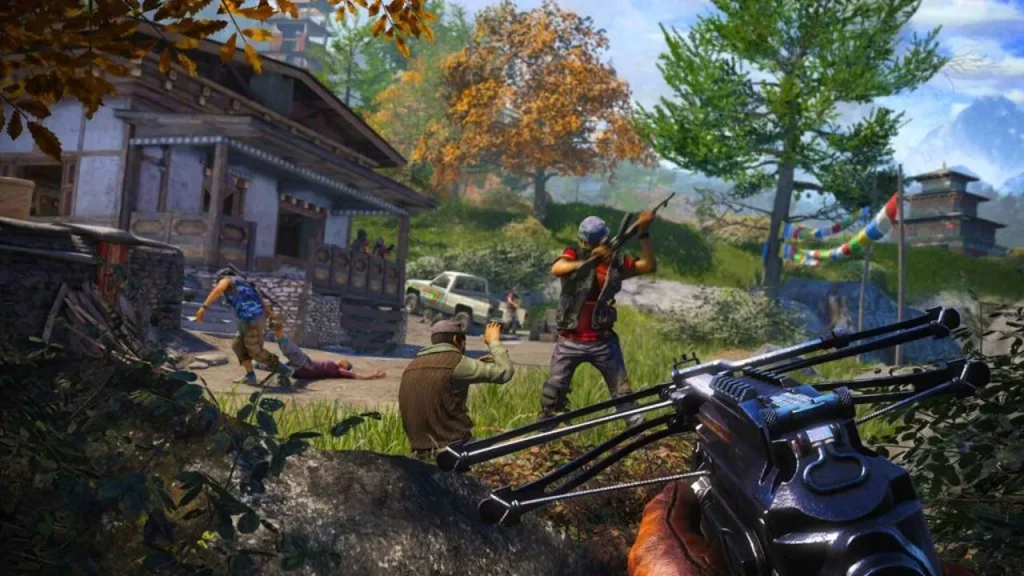
Why Play Far Cry 4 on PC?
Playing Far Cry 4 on PC elevates the entire experience. The high frame rates, superior textures, and customization options make Kyrat more immersive than ever. PC gamers enjoy smoother gameplay and sharper visuals, especially on modern hardware with ultra settings.
Unlike consoles, the Far Cry 4 PC version supports mods, reshades, and fan patches that improve graphics or performance. Players can easily bind custom controls, adjust FOV (Field of View), or add realistic lighting effects using community tools. Plus, no worries about low battery or controller drift—just pure uninterrupted action.
PC also supports higher resolutions, widescreen monitors, and multi-monitor setups for an even more cinematic view. Whether you prefer stealth or full-on chaos, Far Cry 4 on PC lets you experience Kyrat exactly how you want.
How to Download and Install Far Cry 4 on PC
Getting Far Cry 4 Game PC is super easy. Follow these steps:
- Scroll up on this page and hit the safe download button for Far Cry 4 PC.
- Once the file is downloaded, locate it in your Downloads folder.
- Right-click on the
.zipor.rarfile and choose Extract Here (you can use tools like WinRAR or 7-Zip). - After extraction, a new folder will appear with all the game files.
- Look for the main executable file: Far Cry 4.exe.
- Double-click the
.exefile to start the game. - No installation process is required — just click and play.
System Requirements
| Specification | Minimum Requirements | Recommended Requirements |
|---|---|---|
| OS | Windows 7 (64-bit) | Windows 10 / 11 (64-bit) |
| Processor | Intel Core i5-750 / AMD Phenom II X4 955 | Intel Core i7-2600K / AMD FX-8350 |
| Memory | 4 GB RAM | 8 GB RAM |
| Graphics | NVIDIA GTX 460 / AMD Radeon HD 5850 | NVIDIA GTX 680 / AMD R9 290 |
| Storage | 30 GB free space | 30 GB SSD recommended |
| DirectX | Version 11 | Version 11 or higher |
For Low-End PCs:
Reduce resolution to 720p, lower textures, and disable anti-aliasing to achieve smoother gameplay without major sacrifices in quality.
How to Play Far Cry 4 on PC
Controlling the chaos in Kyrat is both intuitive and thrilling. The standard PC controls include WASD for movement, mouse for aiming, and Q/E for gadgets. Vehicle controls are responsive and customizable through the settings menu.
Beginners should first try liberating smaller outposts to get familiar with stealth and gunplay. Utilize cover, bait enemies using rocks, and plan attacks using binoculars. The crafting system lets you create healing syringes, ammo pouches, and more from animal hides.
The PC version of Far Cry 4 also shines with mod support, enabling players to tweak difficulty, add ultra-realistic lighting, or integrate third-party missions. Whether you prefer sneaking through jungles or going all-in with explosives, Far Cry 4 on PC adapts to your style.
Community & Modding Scene
The Far Cry 4 PC community is one of the most creative in gaming. Even years after release, players continue to develop mods that transform Kyrat into a new world. From ultra HD texture packs to gameplay overhauls, the possibilities are endless.
Popular mods include:
- Redux Mod – Enhances realism with lighting and AI improvements.
- Weapon Variety Pack – Adds dozens of new weapons.
- Co-op Expansion Mod – Enables full campaign co-op play.
- Custom Missions & Maps – Community-built adventures that add hours of replayability.
These mods keep Far Cry 4 PC alive and constantly evolving.
Pro Tips for New Players
FAQs
Can I play Far Cry 4 offline on PC?
Yes! Far Cry 4 PC can be fully enjoyed offline in its single-player campaign. Once you’ve downloaded and activated the game, you can explore Kyrat, complete missions, and craft weapons without needing an internet connection. Online features like co-op or multiplayer do require connectivity, but for story mode, you’re good to go offline anytime.
Is Far Cry 4 free for PC players?
No, Far Cry 4 on PC isn’t free — it’s a premium title developed by Ubisoft. However, you can often find big discounts on trusted platforms like Steam, Ubisoft Connect, and Epic Games Store. Occasionally, Ubisoft offers free weekend trials or bundle deals that let players experience the game temporarily at no cost.
How big is the Far Cry 4 PC version download size?
The Far Cry 4 PC version requires roughly 30 GB of free space. The initial installation files are around 25 GB, but with updates, patches, and mods, the total can go slightly higher. It’s always smart to keep at least 40 GB free for smooth installation and to accommodate future DLCs or community mods.
Can I run Far Cry 4 on a low-end computer?
Yes — with some performance tweaks! Lowering the resolution to 720p, reducing textures, and disabling anti-aliasing can help you play smoothly on older PCs. The game is well-optimized, so even budget setups can enjoy stable frame rates if graphics settings are adjusted properly. You can also use mods that improve performance for low-end systems.
Does Far Cry 4 support mods on PC?
Absolutely. The Far Cry 4 PC modding community is still thriving years after release. You can install mods that upgrade graphics, add missions, tweak AI behavior, or introduce new weapons. Sites like NexusMods and ModDB host thousands of fan-made creations, letting players customize and expand the game endlessly.
Is there multiplayer or co-op gameplay in Far Cry 4?
Yes! Far Cry 4 on computer includes both co-op missions and PvP multiplayer modes. In co-op, a friend can join your open-world session to take down outposts and hunt together. Multiplayer adds competitive action with different classes and objectives, making the PC experience even more dynamic.
Where can I safely download Far Cry 4 for PC?
You should always download Far Cry 4 for PC from official and verified sources like Ubisoft Connect, Steam, or Epic Games Store. These platforms ensure genuine files, regular updates, and protection from malware or corrupted installers. If this page offers a safe download button, use it to get the verified installation version securely.
Conclusion
Far Cry 4 PC stands as one of the most captivating and enduring first-person shooter games ever made. Its breathtaking open-world setting in the Himalayas, engaging storyline, and deep gameplay mechanics make it a masterpiece for every PC gamer. Whether you enjoy stealthy infiltrations, chaotic firefights, or simply exploring the majestic landscapes of Kyrat, this game delivers a thrilling adventure from start to finish.
The PC version of Far Cry 4 enhances every element — from sharper visuals and smoother performance to modding capabilities that breathe new life into the experience. It’s not just a game; it’s a creative sandbox where every mission, every choice, and every explosion feels unique.
If you’re ready to experience heart-pounding action, unforgettable characters, and the freedom to play your way — download Far Cry 4 for PC now and embark on your ultimate Himalayan journey!


