

Pixel Gun 3D PC
Play Pixel Gun 3D PC with smoother controls, better FPS, custom mods, and huge multiplayer action. Download Pixel Gun 3D for PC and enjoy enhanced gameplay.
Pixel Gun 3D began its journey as a mobile first-person shooter built around quirky pixel graphics, fast-paced matches, and a sprawling arsenal of weapons. Developed by Cubic Games, this title quickly became a global hit because it merged the nostalgic block-style visuals of sandbox games with competitive multiplayer mechanics. Players could jump into dozens of game modes, from Battle Royale and Deathmatch to Co-op Survival, each offering action-heavy gameplay with short, explosive rounds. What started as a small indie shooter evolved into one of the most recognizable mobile FPS games, packed with regularly updated events, seasonal items, and constantly evolving content that kept millions hooked worldwide.
The game didn’t just grow because of its design it exploded thanks to its community. Players shared memes, wild skin ideas, montage videos, and weapon showcases that spread across social platforms. Many fan-made mods and custom resources added new layers of creativity to the game, inspiring countless players to personalize their experience. Popular YouTubers helped boost its visibility by showcasing clan wars, loadout challenges, and Battle Royale victories. As a result, Pixel Gun 3D became more than just a shooter it became a digital playground full of humor, customization, and community-driven energy.
While Pixel Gun 3D remains a beloved mobile title, an increasing number of players prefer exploring the Pixel Gun 3D PC version. Playing Pixel Gun 3D on computer offers smoother controls, higher performance, and zero battery drain. A wider display boosts visibility during intense matches, making aiming, movement, and overall gameplay sharper than on touchscreen devices. With keyboard-and-mouse precision, players can compete more effectively, grind more efficiently, and experience the game in a more comfortable setup. Whether you want to dominate multiplayer lobbies or simply enjoy long hours of clan battles, Pixel Gun 3D on PC offers the most optimized and enjoyable version of the game.
Pixel Gun 3D PC Highlights
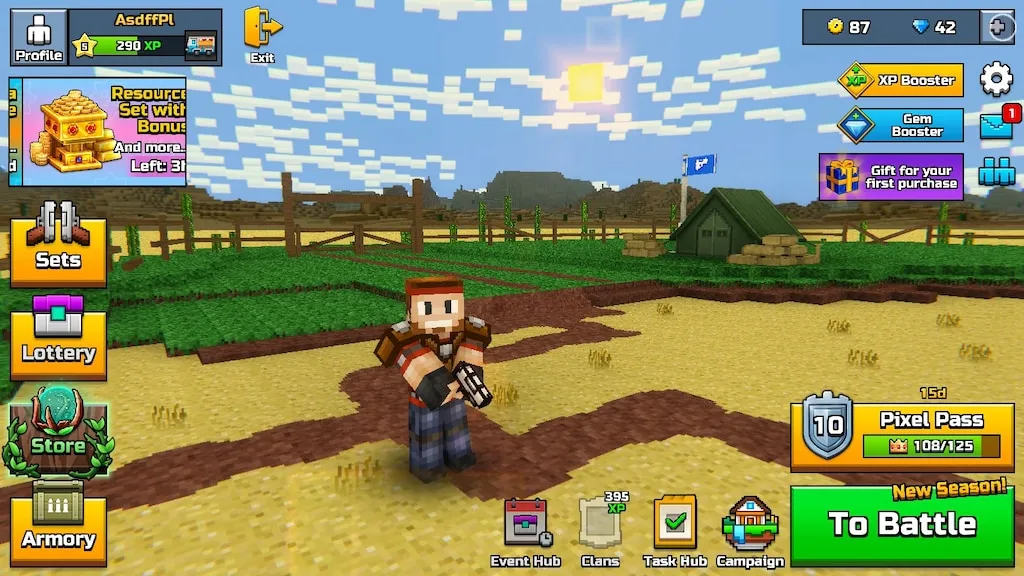
Pixel Gun 3D PC delivers a refreshing twist to the original experience by enhancing visuals, increasing accuracy, and allowing unlimited playtime without overheating or lag issues. The game runs smoother on computer setups, offering higher FPS, reduced input delay, and an overall better tactical feel. From chaotic multiplayer matches to crafting, clans, and Battle Royale showdowns, everything feels more dynamic on PC. The large screen helps players see enemies faster, aim with pinpoint accuracy, and manage inventory more efficiently. With stable online performance, customizable controls, and easier access to mods, the Pixel Gun 3D PC version becomes the ultimate way to enjoy this iconic shooter. New players benefit from approachable gameplay, while veterans appreciate the heightened competitive edge and advanced control setup.
1. A Gigantic Arsenal of Weapons
Pixel Gun 3D PC offers one of the most diverse weapon selections in any mobile or PC shooter, featuring hundreds of guns, melee items, gadgets, and heavy weapons. New players can experiment with rifles, snipers, shotguns, bows, lasers, and even magical staffs to discover their ideal playstyle. Each weapon has unique stats such as damage, fire rate, mobility, and capacity, encouraging players to rotate loadouts strategically. On PC, mastering these weapons becomes easier thanks to mouse precision and faster switching using hotkeys.
2. Multiple Game Modes for Every Player Type
The game includes more than 10 core game modes, each offering a different style of play. Battle Royale pits players against dozens of opponents in a shrinking map, while Deathmatch and Team Fight focus on fast-paced shooter action. Modes like Raids, Arena, and Campaign add PvE challenges, perfect for beginners who want to practice before jumping into competitive lobbies. Playing on PC makes these modes more enjoyable due to smoother performance and larger screen visibility.
3. Custom Skins and Deep Character Personalization
Pixel Gun 3D’s built-in skin editor allows players to design their character pixel by pixel, resulting in limitless customization possibilities. You can create superheroes, armored warriors, themed characters, or detailed recreations of iconic gaming figures. Accessories, outfits, and decorative items further personalize your look, helping you stand out in multiplayer matches. On PC, designing characters becomes much easier because mouse controls improve accuracy during pixel editing.
4. Clan Wars, Leagues, and Competitive Progression
Clans are an essential part of Pixel Gun 3D PC, enabling players to team up, participate in Clan Wars, and earn valuable rewards. Members work together to win territories, earn points, and climb through competitive leagues. These systems encourage cooperation, communication, and long-term progression for players who enjoy group gameplay. Playing on PC helps during competitive battles thanks to smoother aiming, longer play sessions, and easier coordination with teammates.
5. Crafting, Gadgets, and Sandbox Creativity
Beyond shooting, Pixel Gun 3D includes crafting mechanics, letting players build decorative items, upgrade weapons, or develop gadgets. The Sandbox mode allows players to create structures, practice mechanics, or design creative builds without combat pressure. This gives new players a safe environment to master movement and shooting techniques. Using PC controls makes crafting and building significantly more intuitive and precise.
6. Smooth Multiplayer and High FPS Gameplay
Pixel Gun 3D PC delivers far smoother multiplayer performance compared to mobile devices. Players benefit from higher frame rates, reduced lag, and more accurate hit detection. This gives PC players a competitive edge, especially in modes where quick reflexes determine the outcome. Because PCs don’t overheat or slow down, long gaming sessions stay consistent and stable.
7. Frequent Updates, Events, and Seasonal Content
Cubic Games releases regular updates that introduce new guns, maps, modes, skins, and seasonal events. These updates ensure the game stays dynamic and ever-changing, with fresh challenges and exclusive rewards. For newcomers, these events offer opportunities to earn rare items and test new weapons without heavy grinding. The PC version enjoys the same fast updates, ensuring players never miss new content.
Why Play Pixel Gun 3D on PC?
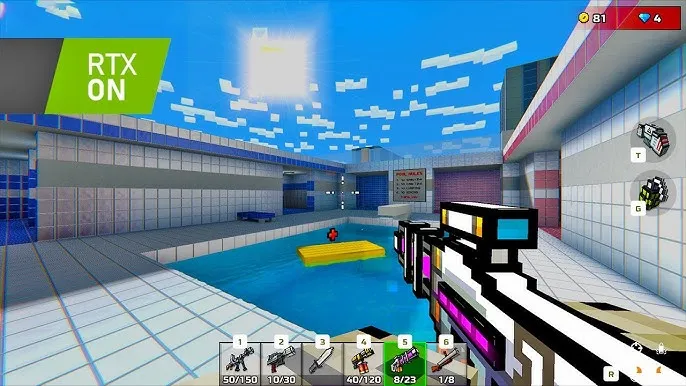
Playing Pixel Gun 3D on PC transforms the entire gameplay experience, providing sharper visuals, better performance, and far more precise controls. Touchscreens often limit reaction speed, but a mouse allows quick aiming, accurate shooting, and faster movement across maps. Meanwhile, keyboard inputs make it easier to manage weapons, jump, reload, crouch, and navigate menus. Players who are used to competitive FPS titles like CS:GO or Fortnite instantly feel at home with the PC control scheme. Additionally, PC hardware eliminates issues like overheating, lag spikes, and device slowdowns that commonly occur on mobile, allowing long, uninterrupted gaming sessions.
Another major advantage is enhanced graphical clarity. Maps appear cleaner and brighter, enemies become easier to spot, and environmental effects look more polished on desktop screens. The larger display makes it easier to track multiple opponents, improving both survival rates and match performance. Mods also play a notable role; many PC users enjoy custom skins, textures, and interface tweaks that aren’t always possible on mobile. The PC version is also ideal for content creators, streamers, and players who want a clean, optimized environment for recording gameplay. With smoother gameplay, greater customization options, and better comfort overall, Pixel Gun 3D PC becomes the ultimate choice for casual gamers, competitive players, and long-time fans alike.
How to Download and Install Pixel Gun 3D on PC
Getting Pixel Gun 3D PC is super easy. Follow these steps:
- Scroll up on this page and hit the safe download button for Pixel Gun 3D PC.
- Once the file is downloaded, locate it in your Downloads folder.
- Right-click on the
.zipor.rarfile and choose Extract Here (you can use tools like WinRAR or 7-Zip). - After extraction, a new folder will appear with all the game files.
- Look for the main executable file: PixelGun3D.exe.
- Double-click the
.exefile to start the game. - No installation process is required just click and play.
System Requirements
| Component | Minimum Requirements | Recommended Requirements |
|---|---|---|
| OS | Windows 7/8/10 | Windows 10/11 |
| Processor | Intel Pentium 4 | Intel Core i3 or better |
| RAM | 2 GB | 4 GB |
| GPU | DirectX 9 compatible | NVIDIA/AMD modern graphics card |
| Storage | 500 MB | 500 MB |
| Sound | DirectX compatible sound card | High-quality audio device |
How to Play Pixel Gun 3D on PC
Playing Pixel Gun 3D on PC is all about mastering your controls and developing consistent aim. Keyboard and mouse controls give players a serious competitive edge, allowing smoother aiming and faster reaction times. Beginners should start by adjusting mouse sensitivity until aiming feels natural. Weapon switching is much quicker on PC, so learning to rotate through your loadout efficiently can significantly increase your chances of winning fights. Exploring maps and understanding chokepoints, high-ground spots, and routes helps greatly with positioning during battles. Getting used to movement mechanics like strafing and jump-shooting will also give you an advantage during close-range encounters.
Once you get comfortable with basic controls, focus on mastering different weapon classes. Each weapon category has unique timing and accuracy patterns, and practicing with them improves both damage output and strategy. You should also explore the modding options available for PC players some mods enhance HUD visibility, while others improve aim clarity or add cosmetic upgrades. Always practice in low-pressure modes like Arena or Co-op Survival to warm up before jumping into competitive matches. Over time, your reflexes will sharpen, your accuracy will improve, and your match performance will become consistently stronger.
Community & Modding Scene
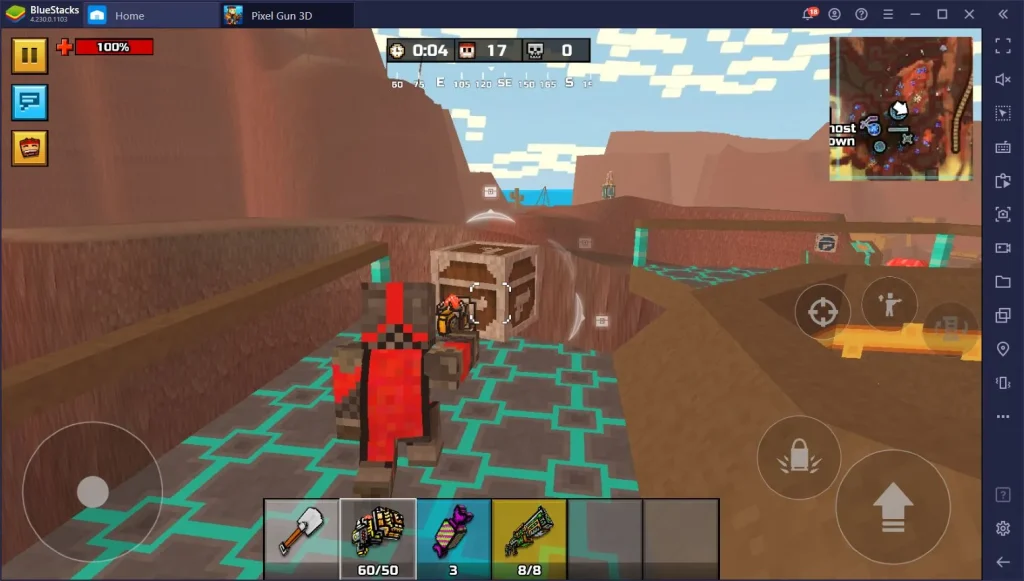
The Pixel Gun 3D PC community is one of the most creative groups in the FPS genre. From handcrafted custom skins to texture packs and specialized mods, players constantly reinvent the game’s art and experience. The game thrives on player-made content, especially in forums and Discord communities where users share newly designed characters, themed outfits, and high-quality skins inspired by popular games and movies. These contributions help the game feel vibrant, stylish, and continuously evolving.
Modding has also played a major role in keeping Pixel Gun 3D relevant over the years. While the mobile version limits certain customization options, PC players can access control-enhancing mods, HUD improvements, and interface optimizers that make the game look and feel smoother. Many modders also create custom sound packs or adjust weapon visuals to add flair to gameplay. The community also hosts tournaments, clan wars, and collaborative events where new players can find mentors and experienced players can showcase their builds and strategies. In short, the PC modding scene adds longevity, variety, and creativity to the game, ensuring that Pixel Gun 3D stays fresh for the long term.
Pro Tips for New Players
FAQ
How can I play Pixel Gun 3D on PC?
You can play Pixel Gun 3D on PC using a trusted Android emulator that supports smooth FPS performance and keyboard-mouse customization. After installing the emulator, simply sign in to your Google account and download Pixel Gun 3D from the Play Store. The game runs exactly like the mobile version but with upgraded controls and enhanced visuals. PC players often experience higher frame rates, faster aiming, and reduced lag, making the gameplay more competitive and enjoyable.
Is the Pixel Gun 3D PC version free?
Yes, Pixel Gun 3D is completely free to download and play, whether you’re on mobile or PC. All you need is an emulator and a stable internet connection to access the Play Store version. While the game includes optional in-app purchases for skins, weapons, and upgrades, these are not required to enjoy the full experience. Many players successfully progress through the game without spending money by participating in events, leagues, and daily challenges.
Can I use my mobile account on Pixel Gun 3D PC?
Absolutely. As long as you log in using the same Google account you used on your mobile device, all your progress, skins, weapons, and coins automatically sync. This cross-platform progression allows players to switch between PC and mobile without losing anything. It’s one of the best ways to enjoy high-performance gameplay at home while still keeping the ability to play on the go.
Is it safe to download Pixel Gun 3D for PC?
Yes, it’s safe when downloaded through the official Play Store inside a trusted emulator. This ensures you are getting the original, unmodified version of the game created by Cubic Games. Avoid third-party APK websites because they may provide outdated or unsafe files. For maximum safety, always use the safe download button provided on this page, which leads you to verified installation methods.
Does Pixel Gun 3D support mods on PC?
Pixel Gun 3D itself does not offer official mod support, but the PC community often creates cosmetic mods such as UI tweaks, custom skins, reticle adjustments, and texture improvements. These mods generally enhance visual quality or personalization without affecting gameplay balance. Always use safe, community-trusted sources if experimenting with mods. Beginners should start with simple cosmetic modifications before trying more advanced tools.
What are the advantages of playing Pixel Gun 3D on computer instead of mobile?
Playing Pixel Gun 3D on PC provides smoother gameplay, more accurate aiming, and improved reaction time thanks to keyboard and mouse controls. The larger display helps players spot enemies faster and manage inventory more efficiently. PCs eliminate issues such as overheating, slowdowns, battery drain, and touchscreen input delay. Overall, the PC experience offers a more competitive and comfortable environment for both casual and pro players.
Why is Pixel Gun 3D so popular among younger players?
The game’s colorful pixel art style, simple controls, and fast-paced matches make it appealing to a wide range of ages. Pixel Gun 3D features cartoon-style combat without realistic violence, making it safer for younger audiences. Its creative elements such as crafting, skins, clans, and mini-games keep players engaged for long periods. Combined with frequent updates and a massive online community, the game stays relevant and exciting year after year.
Conclusion
Pixel Gun 3D PC takes everything great about the original mobile shooter and elevates it through better performance, smoother controls, and enhanced visuals. Whether you’re grinding clan battles, exploring Battle Royale maps, practicing weapon timing, or joining the thriving modding community, playing Pixel Gun 3D on computer gives you an edge in every match. The PC experience is faster, clearer, and more comfortable, making long gaming sessions more enjoyable. With high FPS, customizable controls, and access to mods, the Pixel Gun 3D PC version becomes the ideal choice for both new players and longtime fans. Use the safe download button on this page and jump directly into epic multiplayer action today!


